> ## Documentation Index
> Fetch the complete documentation index at: https://cometchat-013b37f0.mintlify.site/llms.txt
> Use this file to discover all available pages before exploring further.
# UI Components
Version: v2
**UI Components** are building a block of the UI Kit. **UI Components** are a set of custom classes specially designed to build a feature-rich chat app. To achieve high customizability while building an app one can use the UI Components. There are different UI Components available in the UI Kit library.
## **CometChatUI**
**CometChatUI** is an option to launch a fully functional chat application using the UI Kit. In **CometChatUI** all the UI Components are interlinked and work together to launch a fully functional chat on your mobile application.
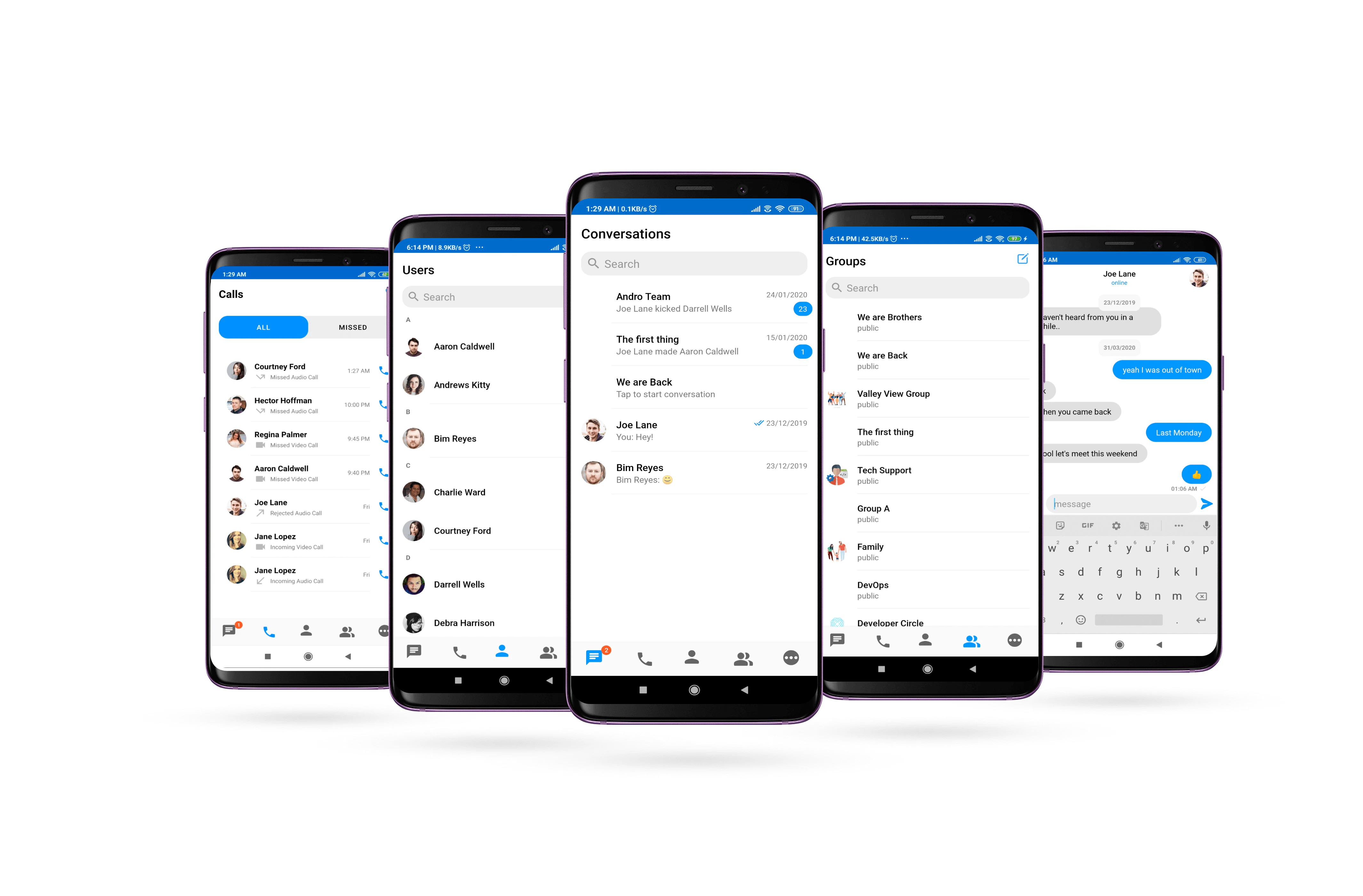 CometChatUI is an Activity class, so you can launch `CometChatUI` using the below code snippet Make sure to add the following code snippet after `onSuccess` of CometChat login.
```kotlin theme={null}
startActivity(Intent(this@YourActivity, CometChatUI::class.java))
```
Make sure that the above code snippet is added after `onSuccess` of CometChat login.
***
## **CometChatConversationList**
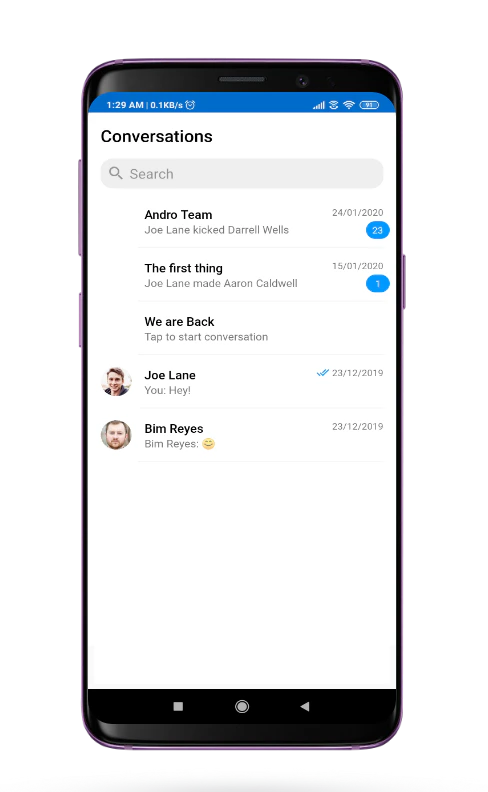
The **CometChatConversationList** is Fragment which will help you to display a list of recent conversations. The Fragment has all the necessary listeners and methods required to display the list of conversations.
### **Usage**
In your layout file (.xml file) add the following snippet to use the `CometChatConversationList`. Adding the following code snippet will give you a fully working list of conversations.
```xml theme={null}
```
CometChatUI is an Activity class, so you can launch `CometChatUI` using the below code snippet Make sure to add the following code snippet after `onSuccess` of CometChat login.
```kotlin theme={null}
startActivity(Intent(this@YourActivity, CometChatUI::class.java))
```
Make sure that the above code snippet is added after `onSuccess` of CometChat login.
***
## **CometChatConversationList**
The **CometChatConversationList** is Fragment which will help you to display a list of recent conversations. The Fragment has all the necessary listeners and methods required to display the list of conversations.
### **Usage**
In your layout file (.xml file) add the following snippet to use the `CometChatConversationList`. Adding the following code snippet will give you a fully working list of conversations.
```xml theme={null}
```
 Note About setItemClickListener on CometChatConversationList
To get the click event of the list you must use `setItemClickListener`. The `setItemClickListener` has `OnItemClick()` to handle single click and `OnItemLongClick()` to handle long click events.
```kotlin theme={null}
cometChatConversationList.setItemClickListener(object : OnItemClickListener
***
## **CometChatUserList**
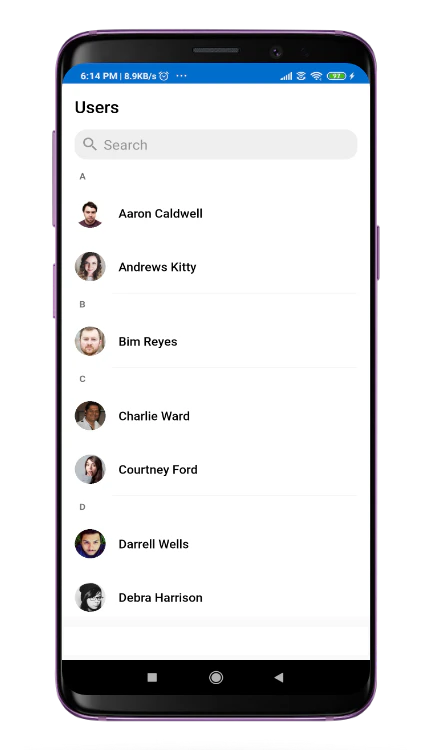
The `CometChatUserList` is a fragment with a List of users. The Fragment has all the necessary listeners and methods required to display the user's list.
### **Usage**
In your layout file (.xml file) add the following snippet to use the `CometChatUserList`. Adding the following code snippet will give you a fully working list of users.
```xml theme={null}
```
Note About setItemClickListener on CometChatConversationList
To get the click event of the list you must use `setItemClickListener`. The `setItemClickListener` has `OnItemClick()` to handle single click and `OnItemLongClick()` to handle long click events.
```kotlin theme={null}
cometChatConversationList.setItemClickListener(object : OnItemClickListener
***
## **CometChatUserList**
The `CometChatUserList` is a fragment with a List of users. The Fragment has all the necessary listeners and methods required to display the user's list.
### **Usage**
In your layout file (.xml file) add the following snippet to use the `CometChatUserList`. Adding the following code snippet will give you a fully working list of users.
```xml theme={null}
```
 Note About setItemClickListener on CometChatUserList
To get the click event of the list you must use `setItemClickListener`. The `setItemClickListener` has `OnItemClick()` to handle single click and `OnItemLongClick()` to handle long click events.
```kotlin theme={null}
cometChatUserList.setItemClickListener(object : OnItemClickListener() {
override fun OnItemClick(t: Any, position: Int) {
}
override fun OnItemLongClick(t: Any, position: Int) {
super.OnItemLongClick(t, position)
}
})
```
***
## **CometChatGroupList**
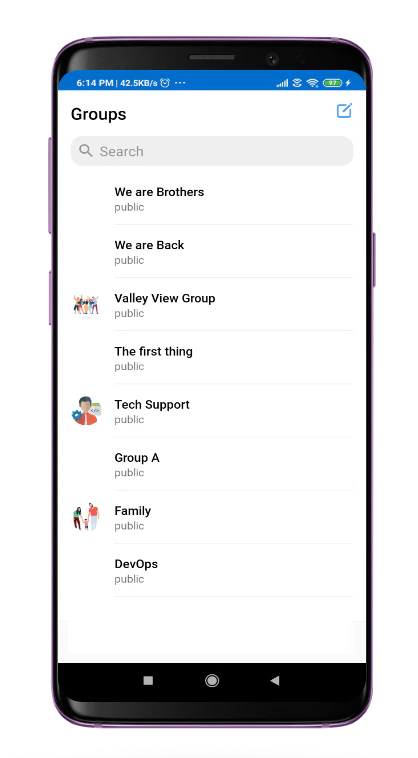
The `CometChatGroupList` is a fragment with a List of groups Fragment has all the necessary listeners and methods required to display the list of groups
### **Usage**
In your `layout.xml` add the following snippet to use the `CometChatGroupList`.Adding the following code snippet will give you a full working list of groups.
```xml theme={null}
```
Note About setItemClickListener on CometChatUserList
To get the click event of the list you must use `setItemClickListener`. The `setItemClickListener` has `OnItemClick()` to handle single click and `OnItemLongClick()` to handle long click events.
```kotlin theme={null}
cometChatUserList.setItemClickListener(object : OnItemClickListener() {
override fun OnItemClick(t: Any, position: Int) {
}
override fun OnItemLongClick(t: Any, position: Int) {
super.OnItemLongClick(t, position)
}
})
```
***
## **CometChatGroupList**
The `CometChatGroupList` is a fragment with a List of groups Fragment has all the necessary listeners and methods required to display the list of groups
### **Usage**
In your `layout.xml` add the following snippet to use the `CometChatGroupList`.Adding the following code snippet will give you a full working list of groups.
```xml theme={null}
```
 Note About setItemClickListener on CometChatGroupList
To get the click event of the list you must use `setItemClickListener`. The `setItemClickListener` has `OnItemClick()` to handle single click and `OnItemLongClick()` to handle long click events.
```kotlin theme={null}
cometChatGroupList.setItemClickListener(object : OnItemClickListener() {
override fun OnItemClick(t: Any, position: Int) {
}
override fun OnItemLongClick(t: Any, position: Int) {
super.OnItemLongClick(t, position)
}
})
```
***
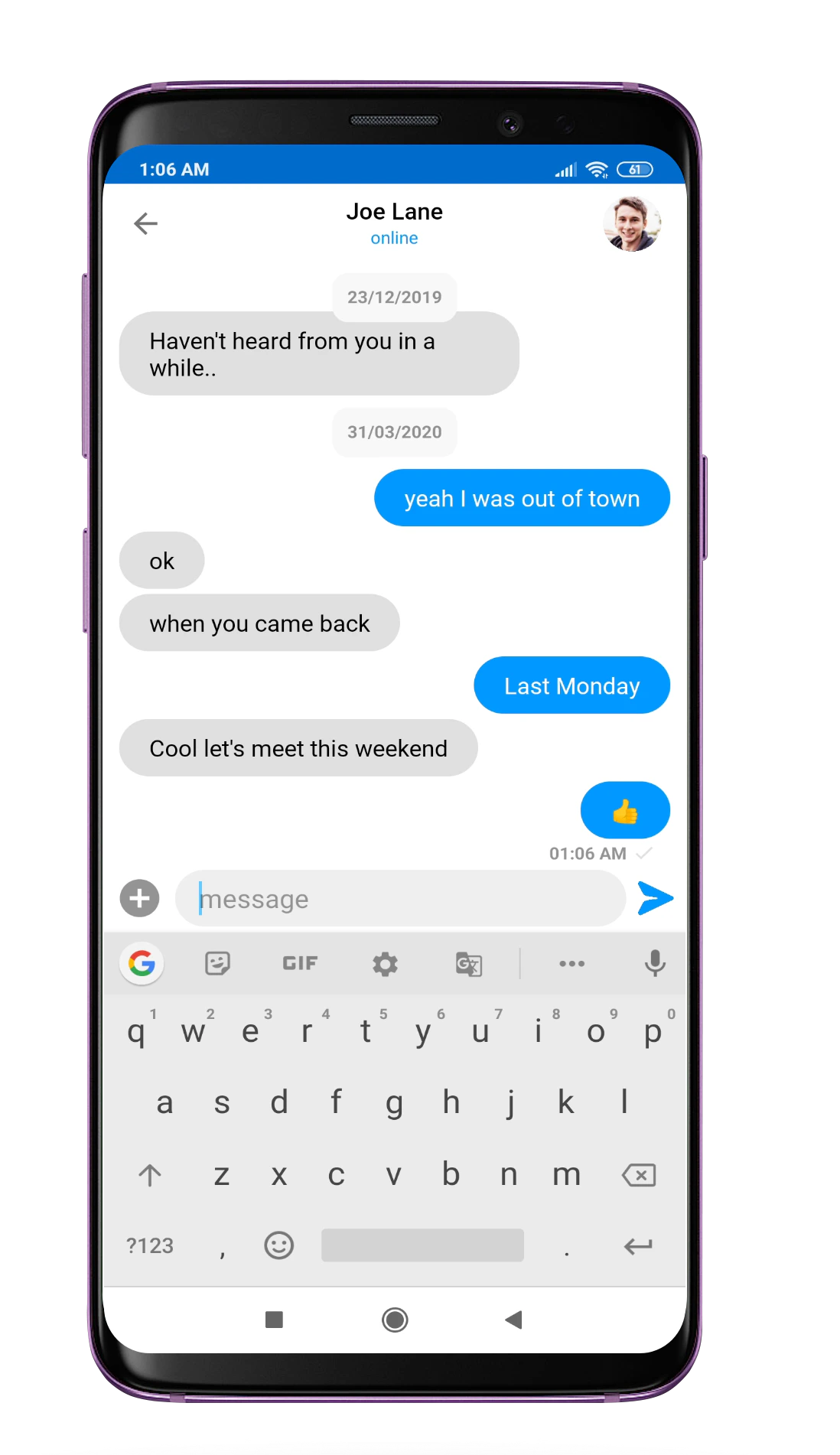
## **CometChatMessageList**
`CometChatMessageList` is a fragment that consists of send and received messages. It is capable of sending and receiving different types of messages such as text, image, and documents.
### **Usage**
To use `CometChatMessageList` follow the below code snippets. `CometChatMessageList` is a dynamic so it will require some arguments. Add a `FrameLayout` in your `layout.xml`
```kotlin theme={null}
Intent intent = Intent(this@YOURACTIVITY, CometChatMessageListActivity::class.java);
intent.putExtra(UIKitConstants.IntentStrings.UID, user.getUid());
intent.putExtra(UIKitConstants.IntentStrings.AVATAR, user.getAvatar());
intent.putExtra(UIKitConstants.IntentStrings.STATUS, user.getStatus());
intent.putExtra(UIKitConstants.IntentStrings.NAME, user.getName());
intent.putExtra(UIKitConstants.IntentStrings.LINK,user.getLink());
intent.putExtra(UIKitConstants.IntentStrings.TYPE, CometChatConstants.RECEIVER_TYPE_USER);
startActivity(intent);
```
Note About setItemClickListener on CometChatGroupList
To get the click event of the list you must use `setItemClickListener`. The `setItemClickListener` has `OnItemClick()` to handle single click and `OnItemLongClick()` to handle long click events.
```kotlin theme={null}
cometChatGroupList.setItemClickListener(object : OnItemClickListener() {
override fun OnItemClick(t: Any, position: Int) {
}
override fun OnItemLongClick(t: Any, position: Int) {
super.OnItemLongClick(t, position)
}
})
```
***
## **CometChatMessageList**
`CometChatMessageList` is a fragment that consists of send and received messages. It is capable of sending and receiving different types of messages such as text, image, and documents.
### **Usage**
To use `CometChatMessageList` follow the below code snippets. `CometChatMessageList` is a dynamic so it will require some arguments. Add a `FrameLayout` in your `layout.xml`
```kotlin theme={null}
Intent intent = Intent(this@YOURACTIVITY, CometChatMessageListActivity::class.java);
intent.putExtra(UIKitConstants.IntentStrings.UID, user.getUid());
intent.putExtra(UIKitConstants.IntentStrings.AVATAR, user.getAvatar());
intent.putExtra(UIKitConstants.IntentStrings.STATUS, user.getStatus());
intent.putExtra(UIKitConstants.IntentStrings.NAME, user.getName());
intent.putExtra(UIKitConstants.IntentStrings.LINK,user.getLink());
intent.putExtra(UIKitConstants.IntentStrings.TYPE, CometChatConstants.RECEIVER_TYPE_USER);
startActivity(intent);
```
 In your activity set the required parameter in the following manner.
```kotlin theme={null}
val bundle = Bundle()
bundle.putString(UIKitContracts.IntentStrings.AVATAR, "AvatarUrl")
bundle.putString(UIKitContracts.IntentStrings.NAME,"Name")
bundle.putString(UIKitContracts.IntentStrings.TYPE,CometChatConstants.RECEIVER_TYPE_USER)
bundle.putString(UIKitContracts.IntentStrings.UID,"UID")
bundle.putString(UIKitContracts.IntentStrings.STATUS,"STATUS")
fragment.arguments = bundle
supportFragmentManager.beginTransaction().replace(R.id.ChatFragment, fragment).commit()
```
***
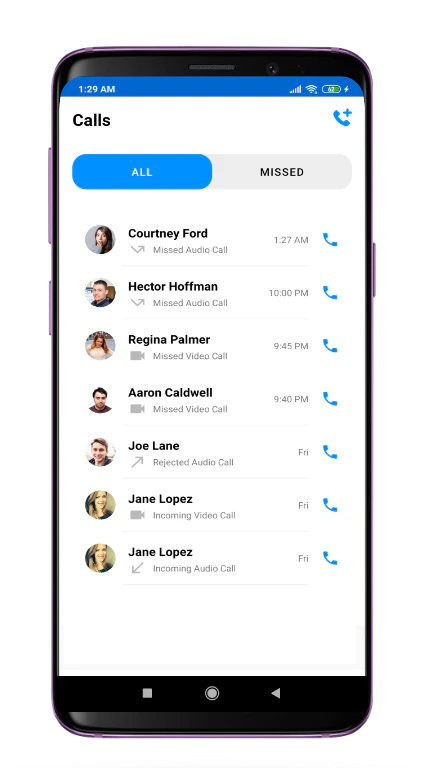
## **CometChatCallList**
You can use the CometChatCallList to get a list of all the calls made by the logged-in user to other users and groups.
### **Usage**
Add the following code in your layout file (.xml file)
```kotlin theme={null}
Intent intent = Intent(this@YOURACTIVITY, CometChatMessageListActivity::class.java);
intent.putExtra(UIKitConstants.IntentStrings.UID, user.getUid());
intent.putExtra(UIKitConstants.IntentStrings.AVATAR, user.getAvatar());
intent.putExtra(UIKitConstants.IntentStrings.STATUS, user.getStatus());
intent.putExtra(UIKitConstants.IntentStrings.NAME, user.getName());
intent.putExtra(UIKitConstants.IntentStrings.LINK,user.getLink());
intent.putExtra(UIKitConstants.IntentStrings.TYPE, CometChatConstants.RECEIVER_TYPE_USER);
startActivity(intent);
```
In your activity set the required parameter in the following manner.
```kotlin theme={null}
val bundle = Bundle()
bundle.putString(UIKitContracts.IntentStrings.AVATAR, "AvatarUrl")
bundle.putString(UIKitContracts.IntentStrings.NAME,"Name")
bundle.putString(UIKitContracts.IntentStrings.TYPE,CometChatConstants.RECEIVER_TYPE_USER)
bundle.putString(UIKitContracts.IntentStrings.UID,"UID")
bundle.putString(UIKitContracts.IntentStrings.STATUS,"STATUS")
fragment.arguments = bundle
supportFragmentManager.beginTransaction().replace(R.id.ChatFragment, fragment).commit()
```
***
## **CometChatCallList**
You can use the CometChatCallList to get a list of all the calls made by the logged-in user to other users and groups.
### **Usage**
Add the following code in your layout file (.xml file)
```kotlin theme={null}
Intent intent = Intent(this@YOURACTIVITY, CometChatMessageListActivity::class.java);
intent.putExtra(UIKitConstants.IntentStrings.UID, user.getUid());
intent.putExtra(UIKitConstants.IntentStrings.AVATAR, user.getAvatar());
intent.putExtra(UIKitConstants.IntentStrings.STATUS, user.getStatus());
intent.putExtra(UIKitConstants.IntentStrings.NAME, user.getName());
intent.putExtra(UIKitConstants.IntentStrings.LINK,user.getLink());
intent.putExtra(UIKitConstants.IntentStrings.TYPE, CometChatConstants.RECEIVER_TYPE_USER);
startActivity(intent);
```
 ***
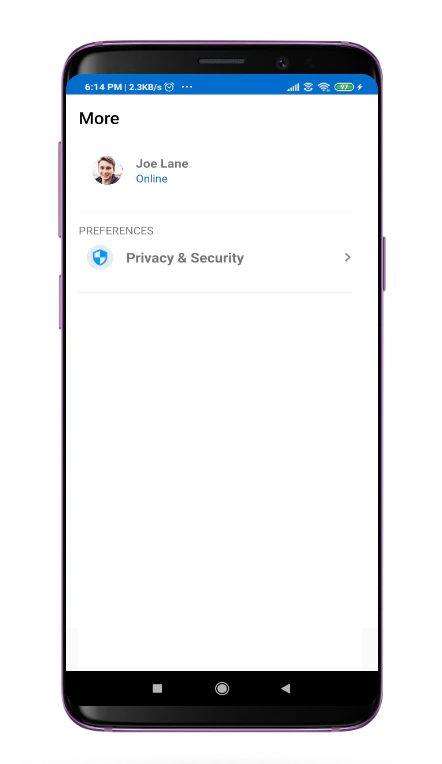
## **CometChatUserProfile**
`CometChatUserProfile` is a fragment which provides detail about the currently logged-in user in the CometChat.
### **Usage**
Add the following code in your layout file (.xml file)
```xml theme={null}
```
***
## **CometChatUserProfile**
`CometChatUserProfile` is a fragment which provides detail about the currently logged-in user in the CometChat.
### **Usage**
Add the following code in your layout file (.xml file)
```xml theme={null}
```
 ***
## **Shared**
There are certain core components that are being used everywhere in `uiKit` library. You will find those components in `shared` folder under `ui_components`. Below are core components that are being used in `uiKit` library.
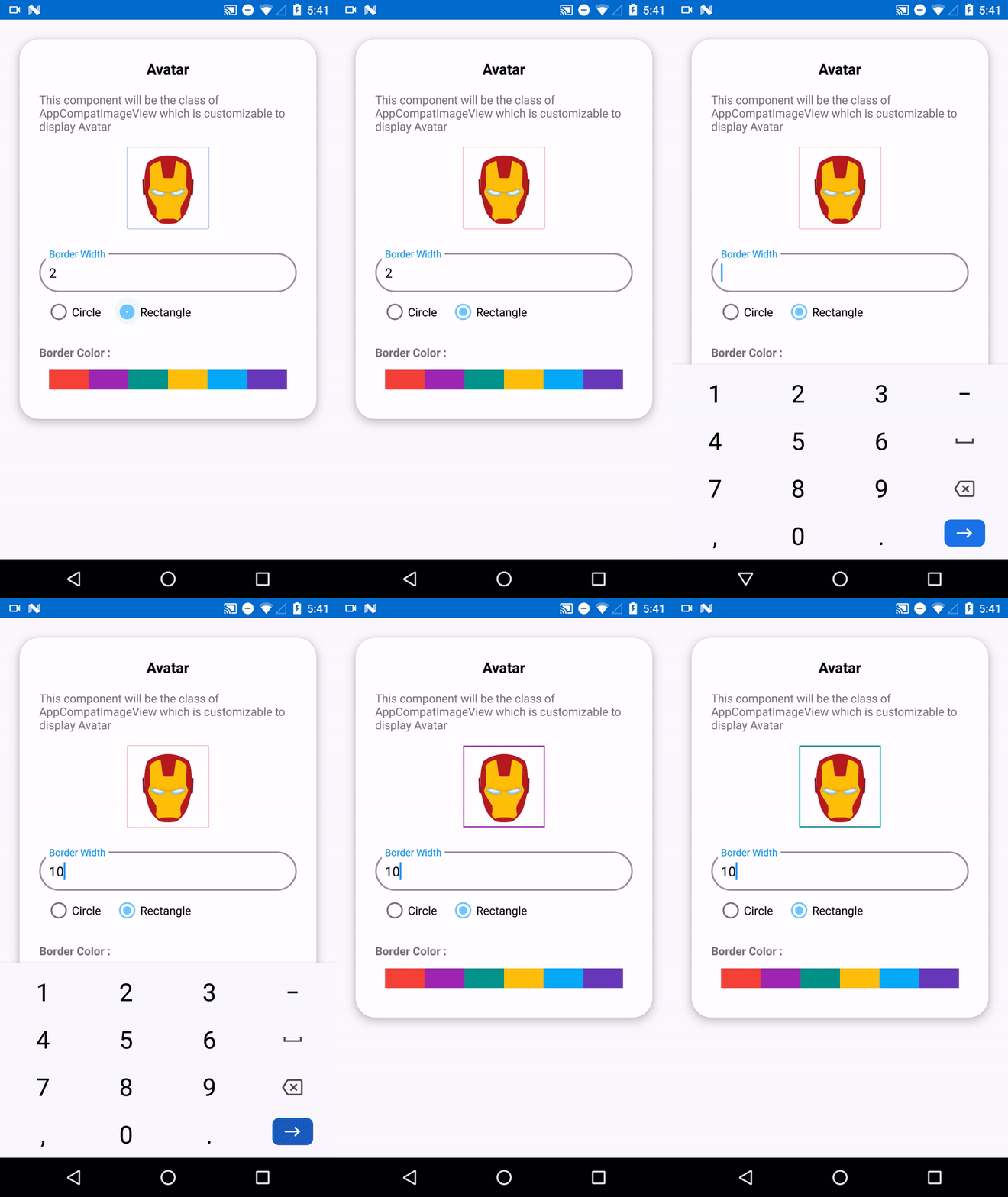
### **CometChatAvatar**
This is an image view customize only to display Avatar. This view can be used with image URLs as well as with CometChat objects like `User` and `Group`
***
## **Shared**
There are certain core components that are being used everywhere in `uiKit` library. You will find those components in `shared` folder under `ui_components`. Below are core components that are being used in `uiKit` library.
### **CometChatAvatar**
This is an image view customize only to display Avatar. This view can be used with image URLs as well as with CometChat objects like `User` and `Group`
 #### **Usage**
In your `layout.xml` add the following code snippet.
```xml theme={null}
```
Here `avatar_shape` is a static property. It should be either `circle` or `rectangle`. whereas the avatar URL needs to be set dynamically following is the sample code for the same.
```kotlin theme={null}
val avatar: CometChatAvatar = findViewById(R.id.av_user)
userViewHolder.avatar.setAvatarUrl("https://randomuser.me/api/portraits/women/44.jpg")
```
The CometChatAvatar Component works well with CometChat `User` and `Group` object. The `setAvatar()` method accepts `User` or `Group` object if Avatar of `User` or `Group` is not available it automatically show the initials of the user or group name as a placeholder Avatar.
#### **Usage**
In your `layout.xml` add the following code snippet.
```xml theme={null}
```
Here `avatar_shape` is a static property. It should be either `circle` or `rectangle`. whereas the avatar URL needs to be set dynamically following is the sample code for the same.
```kotlin theme={null}
val avatar: CometChatAvatar = findViewById(R.id.av_user)
userViewHolder.avatar.setAvatarUrl("https://randomuser.me/api/portraits/women/44.jpg")
```
The CometChatAvatar Component works well with CometChat `User` and `Group` object. The `setAvatar()` method accepts `User` or `Group` object if Avatar of `User` or `Group` is not available it automatically show the initials of the user or group name as a placeholder Avatar.

 #### **Common Features**
CometChat Avatar class provides functionality for an Avatar feature. There are commonly used properties to control the look of the Avatar.
| CometChatAvatar field element | Relevant attributes/methods |
| ----------------------------- | ---------------------------------------------------------------------------------------------------------------------------------------------------- |
| Avatar Shape | `app:avatar_shape` |
| Avatar | `app:avatar``# setAvatar(@NonNull User)``# setAvatar(@NonNull Group)``# setAvatar(@NonNull String)``# setAvatar(@NonNull Drawable, @NonNull String)` |
| Avatar Initial | `app:avatar_initials``# setInitials(@NonNull String)` |
| Border Color | `app:border_color` |
| Border Width | `app:border_width` |
***
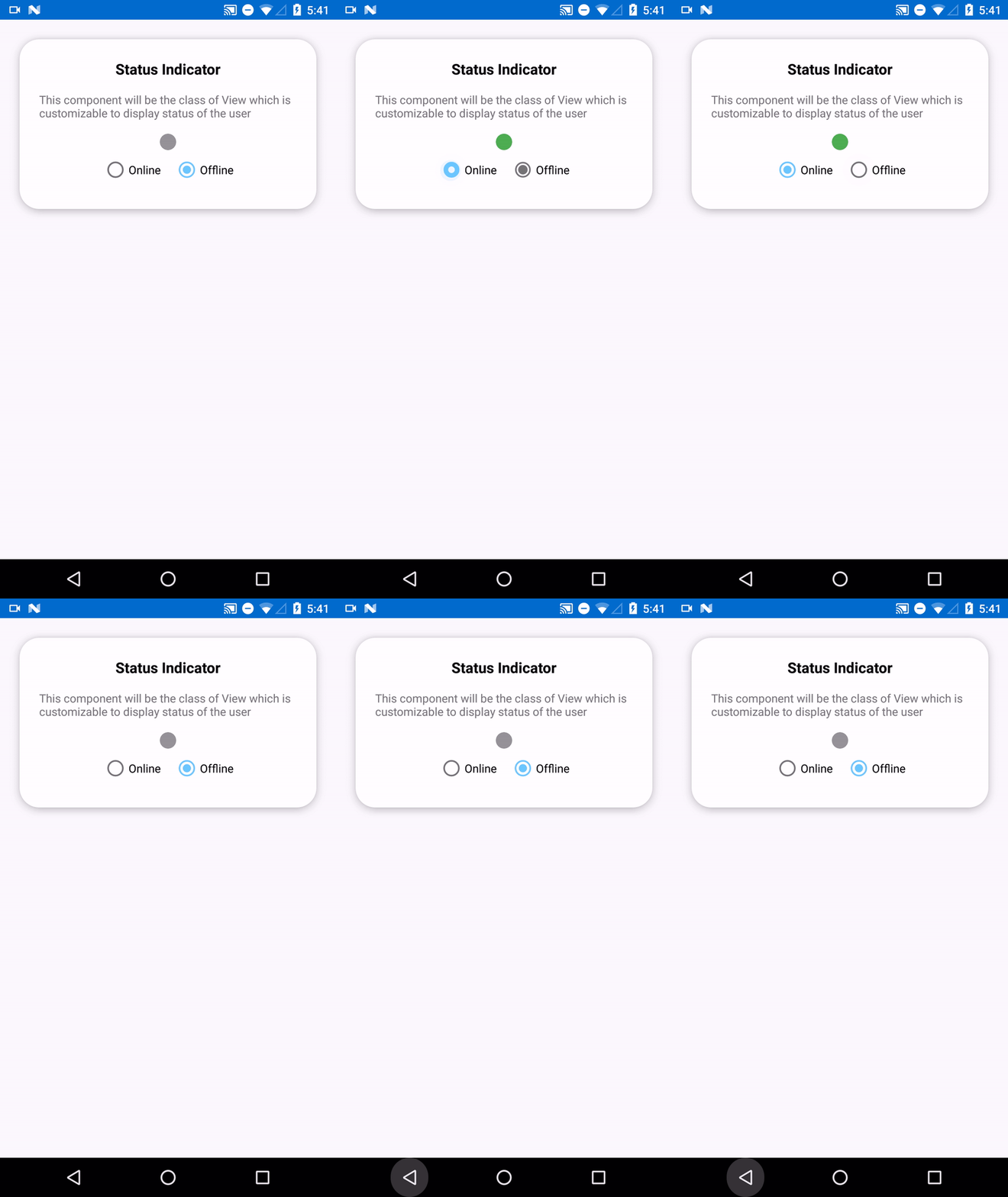
### **CometChatUserPresence**
This view will be used to show the user status if the user is online or offline. This view will take user status and display the color accordingly.
#### **Common Features**
CometChat Avatar class provides functionality for an Avatar feature. There are commonly used properties to control the look of the Avatar.
| CometChatAvatar field element | Relevant attributes/methods |
| ----------------------------- | ---------------------------------------------------------------------------------------------------------------------------------------------------- |
| Avatar Shape | `app:avatar_shape` |
| Avatar | `app:avatar``# setAvatar(@NonNull User)``# setAvatar(@NonNull Group)``# setAvatar(@NonNull String)``# setAvatar(@NonNull Drawable, @NonNull String)` |
| Avatar Initial | `app:avatar_initials``# setInitials(@NonNull String)` |
| Border Color | `app:border_color` |
| Border Width | `app:border_width` |
***
### **CometChatUserPresence**
This view will be used to show the user status if the user is online or offline. This view will take user status and display the color accordingly.
 #### **Usage**
In your `layout.xml` add the following code
```xml theme={null}
```
User status can be set dynamically using the following code.
```kotlin theme={null}
val userPresence: CometChatUserPresence = findViewById(R.id.statusIndicator)
userViewHolder.statusIndicator.setUserStatus(user.status)
```
#### **Common Features**
CometChatUserPresence provides `app:user_status` attribute and method `setUserStatus` to set Status of the user.
The `app:user_status` attribute can also be used with DataBinding in the following manner
e.g `app:user_status="@{user.status}"` you can also use different objects according to their use case. The attribute will continue to work as long as receives a string parameter
| CometChatUserPresence field element | Relevant attributes/methods |
| ----------------------------------- | --------------------------------------------------- |
| User Status | `app:user_status``# setUserStatus(@NonNull String)` |
***
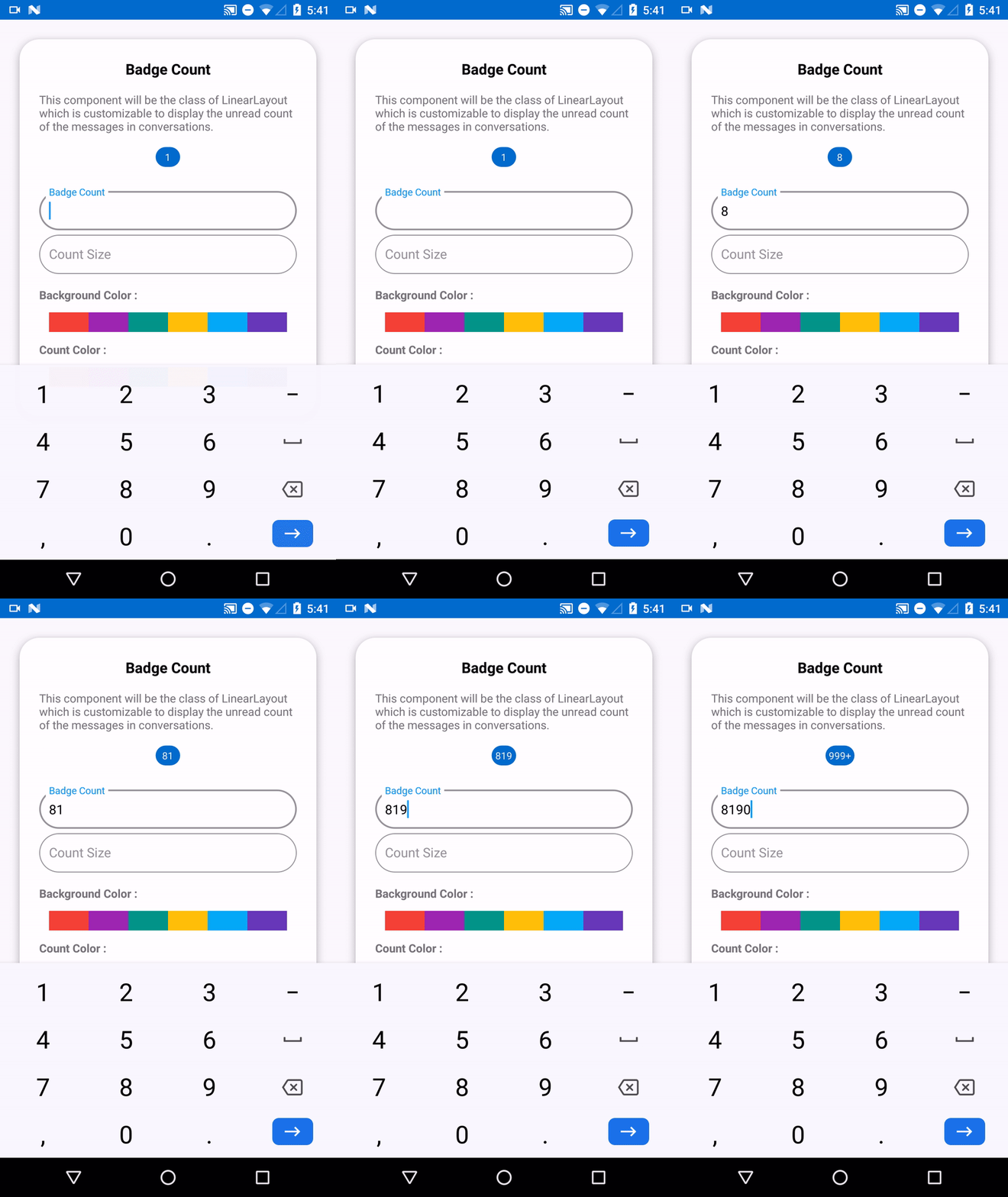
### **CometChatBadgeCount**
The CometChatBadgeCount component can be used to show an unread count. You can use it in different scenarios according to their use case.
#### **Usage**
In your `layout.xml` add the following code
```xml theme={null}
```
User status can be set dynamically using the following code.
```kotlin theme={null}
val userPresence: CometChatUserPresence = findViewById(R.id.statusIndicator)
userViewHolder.statusIndicator.setUserStatus(user.status)
```
#### **Common Features**
CometChatUserPresence provides `app:user_status` attribute and method `setUserStatus` to set Status of the user.
The `app:user_status` attribute can also be used with DataBinding in the following manner
e.g `app:user_status="@{user.status}"` you can also use different objects according to their use case. The attribute will continue to work as long as receives a string parameter
| CometChatUserPresence field element | Relevant attributes/methods |
| ----------------------------------- | --------------------------------------------------- |
| User Status | `app:user_status``# setUserStatus(@NonNull String)` |
***
### **CometChatBadgeCount**
The CometChatBadgeCount component can be used to show an unread count. You can use it in different scenarios according to their use case.
 Add the following code to your `layout.xml`
```xml theme={null}
```
The count can be set dynamically using the `setCount` method. The `setCount` method takes an int as a parameter.
```kotlin theme={null}
val badgeCount: CometChatBadgeCount = findViewById(R.id.badgecount)
holder.badgeCount.messageCount.setCount(conversation.unreadMessageCount)
```
#### **Common Feature**
The CometChatBadgeCount component provides different attributes and methods to control the behavior and appearance of the BadgeCount view.
The attribute `app: count` can also be used with DataBinding
```xml theme={null}
/// example with conversation object
```
| CometChatBadgeCount field element | Relevant attributes/methods |
| --------------------------------- | ------------------------------------------------------------------- |
| Count | `app:count``# setCount(int)` |
| Count Size | `app:count_size``# setCountSize(float)` |
| Count Background Color | `app:count_background_color``# setCountBackground(@ColorRes color)` |
| Count Color | `app:count_color``setCountSize(float)` |
***
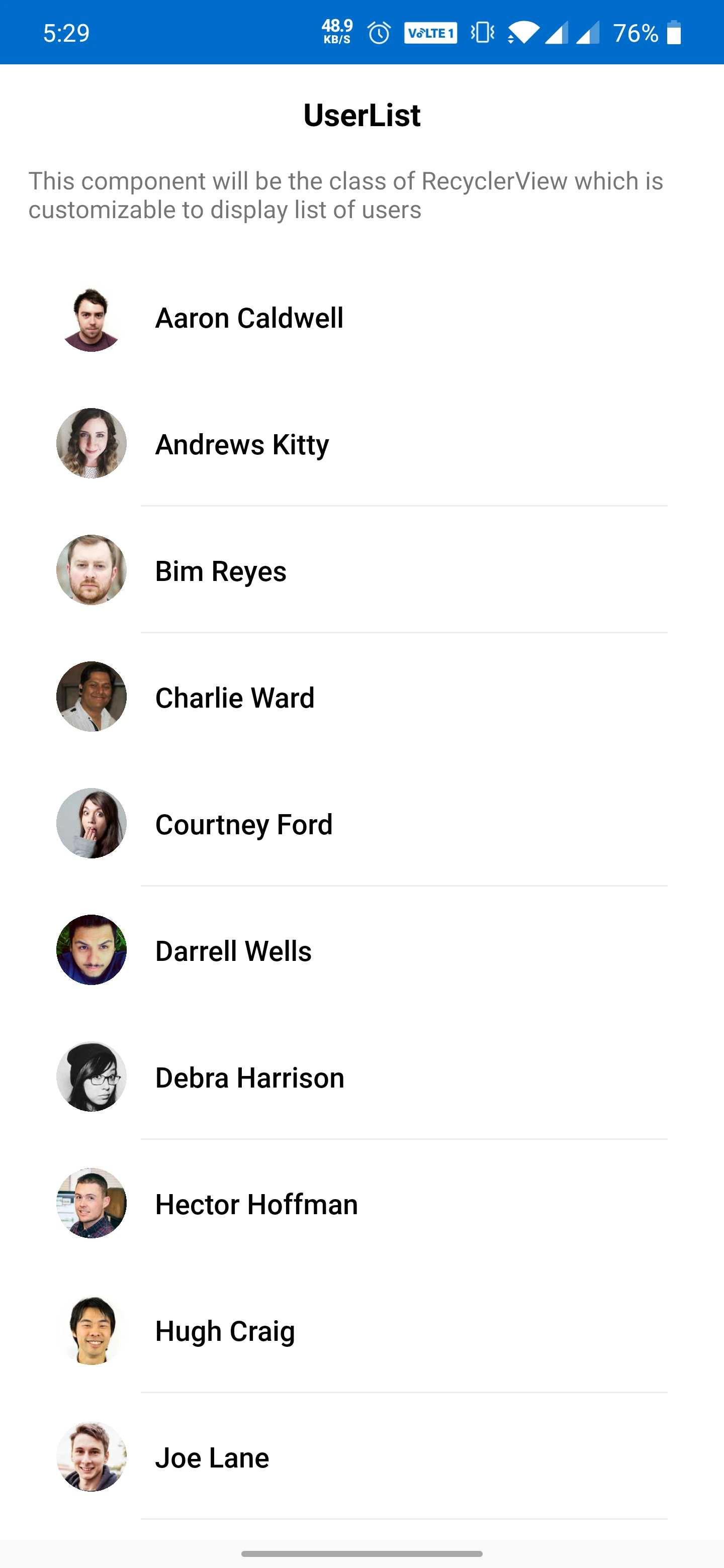
### **CometChatUsers**
The `CometChatUsers` is custom **RecyclerView** which helps to display a list of users present in your CometChat app.
Add the following code to your `layout.xml`
```xml theme={null}
```
The count can be set dynamically using the `setCount` method. The `setCount` method takes an int as a parameter.
```kotlin theme={null}
val badgeCount: CometChatBadgeCount = findViewById(R.id.badgecount)
holder.badgeCount.messageCount.setCount(conversation.unreadMessageCount)
```
#### **Common Feature**
The CometChatBadgeCount component provides different attributes and methods to control the behavior and appearance of the BadgeCount view.
The attribute `app: count` can also be used with DataBinding
```xml theme={null}
/// example with conversation object
```
| CometChatBadgeCount field element | Relevant attributes/methods |
| --------------------------------- | ------------------------------------------------------------------- |
| Count | `app:count``# setCount(int)` |
| Count Size | `app:count_size``# setCountSize(float)` |
| Count Background Color | `app:count_background_color``# setCountBackground(@ColorRes color)` |
| Count Color | `app:count_color``setCountSize(float)` |
***
### **CometChatUsers**
The `CometChatUsers` is custom **RecyclerView** which helps to display a list of users present in your CometChat app.
 Note about CometChatUsers using with DataBinding:
Your project should have DataBinding enabled. You can use `CometChatUsers` using DataBinding in the following manner
In your `layout.xml` add the following code :
```xml theme={null}
```
In your corresponding activity or fragment add the following code
```kotlin theme={null}
val userList: ObservableArrayList = ObservableArrayList()
binding.setUserList(userList)
```
For getting the list of users you can use `UsersRequestBuilder()`. Visit the below link for more details on how to retrieve a list of users.
In `onSuccess` of the `fetchNext` method you can set the data the `ObservableArrayList` you have created. The advantage of using the `ObservableArrayList` is one doesn't have to manually set the data on `binding.setUserList(userList);` every time you get a new set of data.
```kotlin theme={null}
usersRequest.fetchNext(object : CallbackListener>() {
public override fun onSuccess(list: List) {
Log.d(TAG, "User list received: " + list.size)
userList.addAll(list)
//update the ObservableArrayList here
}
public override fun onError(e: CometChatException) {
Log.d(TAG, "User list fetching failed with exception: " + e.message)
}
})
```
Note About CometChatUsers Without DataBinding
If you are not using DataBinding in your project you can use the `CometChatUser` in the following manner.
In your `layout.xml` add the following code
```xml theme={null}
```
In your corresponding activity or fragment.
```kotlin theme={null}
var cometChatUsers: CometChatUsers = findViewById(R.id.cometchatUsers);
cometChatUser.setUserList(list);
// list: fetched using the UsersRequestBuilder
```
To get the list of users you can use UsersRequestBuilder(). Visit the link below for more details on [Retrieve Users](/sdk/android/2.0/retrieve-users)
Note About Using setItemClickListener
For getting the click event of `CometChatUsers` you can make use of `setItemClickListener` class.
```kotlin theme={null}
cometChatUsers.setItemClickListener(object : OnItemClickListener() {
override fun OnItemClick(t: Any, position: Int) {
}
override fun OnItemLongClick(t: Any, position: Int) {
super.OnItemLongClick(t, position)
}
})
```
#### **Common Usage**
The `CometChatUser` component provides different properties to control the behavior of `CometChatUser` view.
| CometChatUser field elements | Relevant attributes/methods |
| ---------------------------- | --------------------------- |
| Update List | `# setUserList(List)` |
| Update | `# update (User)` |
| Remove | `# remove(String)` |
| Add | `# add(User)` |
***
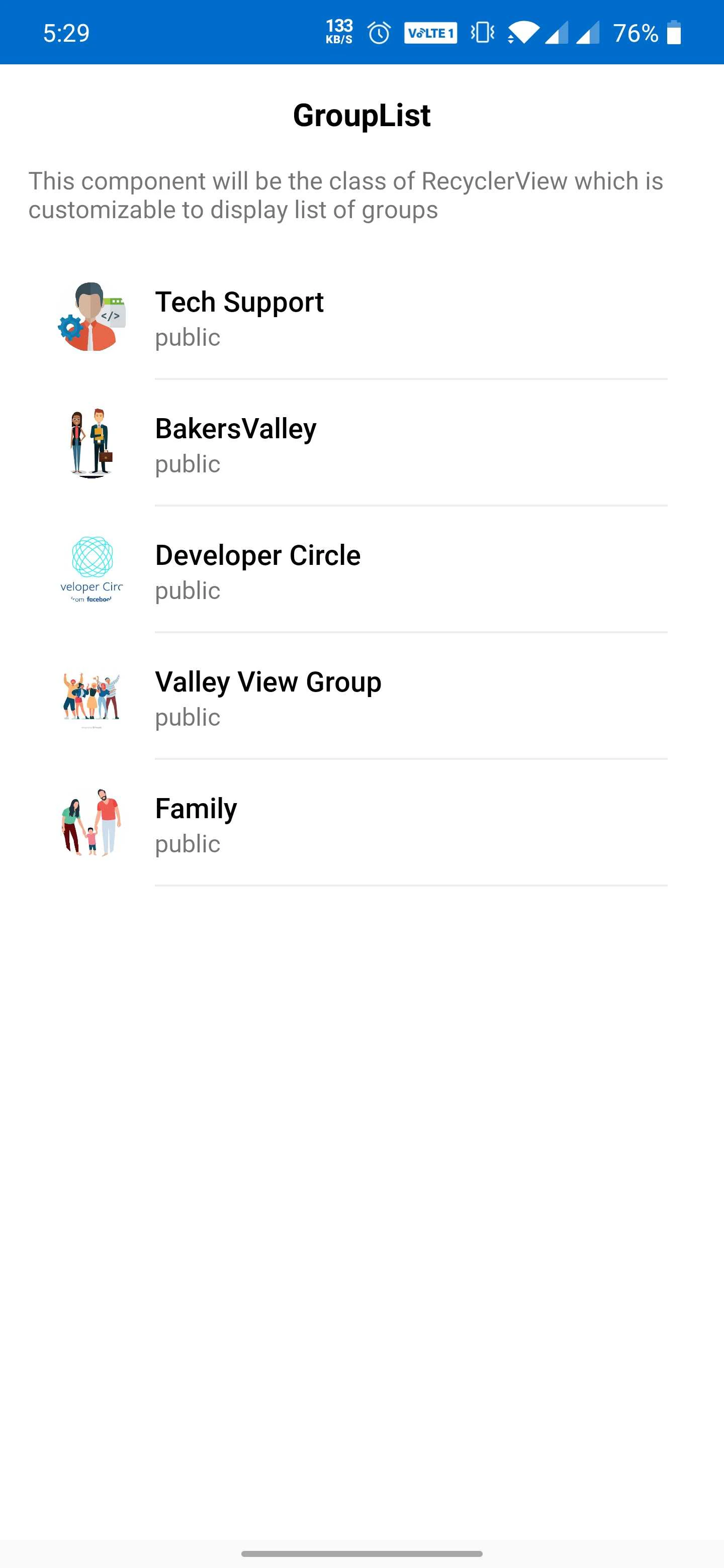
### **CometChatGroups**
The `CometChatGroups` is a custom **RecyclerView** that helps you to display a list of groups.
Note about CometChatUsers using with DataBinding:
Your project should have DataBinding enabled. You can use `CometChatUsers` using DataBinding in the following manner
In your `layout.xml` add the following code :
```xml theme={null}
```
In your corresponding activity or fragment add the following code
```kotlin theme={null}
val userList: ObservableArrayList = ObservableArrayList()
binding.setUserList(userList)
```
For getting the list of users you can use `UsersRequestBuilder()`. Visit the below link for more details on how to retrieve a list of users.
In `onSuccess` of the `fetchNext` method you can set the data the `ObservableArrayList` you have created. The advantage of using the `ObservableArrayList` is one doesn't have to manually set the data on `binding.setUserList(userList);` every time you get a new set of data.
```kotlin theme={null}
usersRequest.fetchNext(object : CallbackListener>() {
public override fun onSuccess(list: List) {
Log.d(TAG, "User list received: " + list.size)
userList.addAll(list)
//update the ObservableArrayList here
}
public override fun onError(e: CometChatException) {
Log.d(TAG, "User list fetching failed with exception: " + e.message)
}
})
```
Note About CometChatUsers Without DataBinding
If you are not using DataBinding in your project you can use the `CometChatUser` in the following manner.
In your `layout.xml` add the following code
```xml theme={null}
```
In your corresponding activity or fragment.
```kotlin theme={null}
var cometChatUsers: CometChatUsers = findViewById(R.id.cometchatUsers);
cometChatUser.setUserList(list);
// list: fetched using the UsersRequestBuilder
```
To get the list of users you can use UsersRequestBuilder(). Visit the link below for more details on [Retrieve Users](/sdk/android/2.0/retrieve-users)
Note About Using setItemClickListener
For getting the click event of `CometChatUsers` you can make use of `setItemClickListener` class.
```kotlin theme={null}
cometChatUsers.setItemClickListener(object : OnItemClickListener() {
override fun OnItemClick(t: Any, position: Int) {
}
override fun OnItemLongClick(t: Any, position: Int) {
super.OnItemLongClick(t, position)
}
})
```
#### **Common Usage**
The `CometChatUser` component provides different properties to control the behavior of `CometChatUser` view.
| CometChatUser field elements | Relevant attributes/methods |
| ---------------------------- | --------------------------- |
| Update List | `# setUserList(List)` |
| Update | `# update (User)` |
| Remove | `# remove(String)` |
| Add | `# add(User)` |
***
### **CometChatGroups**
The `CometChatGroups` is a custom **RecyclerView** that helps you to display a list of groups.
 ***
Note About CometChatGroups Using With DataBinding
If you are using DataBinding in your project you can use the `CometChatGroups` in the following manner.
In your `layout.xml` add the following code snippet
```xml theme={null}
```
In your corresponding activity or fragment .
```kotlin theme={null}
val groupList: ObservableArrayList = ObservableArrayList()
binding.setGroupList(groupList)
```
For getting the list of groups you can use `GroupsRequestBuilder()`.Visit the below link for more details on how to retrieve a list of group.
In `onSuccess` of the `fetchNext` method you can set the data the `ObservableArrayList` you have created. The advantage of using the `ObservableArrayList` is one doesn't have to manually set the data on `binding.setGroupList(groupList);` every time you get a new set of data.
```kotlin theme={null}
groupsRequest.fetchNext(object : CallbackListener>() {
public override fun onSuccess(list: List) {
Log.d(TAG, "Groups list fetched successfully: " + list.size);
groupList.addAll(list)
// update the ObservableArrayList here
}
public override fun onError(e: CometChatException) {
Log.d(TAG, "Groups list fetching failed with exception: " + e.message);
}
})
```
Note About CometChatGroups Without DataBinding
If you are not using DataBinding in your project you can use the `CometChatGroups` in the following manner.
In your `layout.xml` add the following code
```xml theme={null}
```
In your corresponding activity or fragment
```kotlin theme={null}
val cometChatGroups: CometChatGroups = findViewById(R.id.cometchatGroupList)
cometChatGroups.setGroupList(list)
// list: fetched using the GroupsRequestBuilder
```
You can refer to how to [Retrieve Groups](/sdk/android/2.0/retrieve-groups).
Note About Using setItemClickListener
For getting the click event of `CometChatGroups` you can make use of `setItemClickListener` class.
```kotlin theme={null}
cometChatGroups.setItemClickListener(object : OnItemClickListener() {
override fun OnItemClick(t: Any, position: Int) {
}
override fun OnItemLongClick(t: Any, position: Int) {
super.OnItemLongClick(t, position)
}
})
```
#### **Common Usage**
The `CometChatGroups` component provides different properties to control the behavior of `CometChatGroups` view. You can perform different operations like an update, remove, add, etc.
| CometChatGroups field elements | Relevant attributes/methods |
| ------------------------------ | ----------------------------- |
| Update List | `# setGroupList(List)` |
| Update | `# update (Group)` |
| Remove | `# remove(String)` |
| Add | `# add(Group)` |
***
### **CometChatConversations**
`CometChatConversations` is a custom **RecyclerView** which will help you to display a list of all the users and groups in which the logged-in user has made any conversation.
***
Note About CometChatGroups Using With DataBinding
If you are using DataBinding in your project you can use the `CometChatGroups` in the following manner.
In your `layout.xml` add the following code snippet
```xml theme={null}
```
In your corresponding activity or fragment .
```kotlin theme={null}
val groupList: ObservableArrayList = ObservableArrayList()
binding.setGroupList(groupList)
```
For getting the list of groups you can use `GroupsRequestBuilder()`.Visit the below link for more details on how to retrieve a list of group.
In `onSuccess` of the `fetchNext` method you can set the data the `ObservableArrayList` you have created. The advantage of using the `ObservableArrayList` is one doesn't have to manually set the data on `binding.setGroupList(groupList);` every time you get a new set of data.
```kotlin theme={null}
groupsRequest.fetchNext(object : CallbackListener>() {
public override fun onSuccess(list: List) {
Log.d(TAG, "Groups list fetched successfully: " + list.size);
groupList.addAll(list)
// update the ObservableArrayList here
}
public override fun onError(e: CometChatException) {
Log.d(TAG, "Groups list fetching failed with exception: " + e.message);
}
})
```
Note About CometChatGroups Without DataBinding
If you are not using DataBinding in your project you can use the `CometChatGroups` in the following manner.
In your `layout.xml` add the following code
```xml theme={null}
```
In your corresponding activity or fragment
```kotlin theme={null}
val cometChatGroups: CometChatGroups = findViewById(R.id.cometchatGroupList)
cometChatGroups.setGroupList(list)
// list: fetched using the GroupsRequestBuilder
```
You can refer to how to [Retrieve Groups](/sdk/android/2.0/retrieve-groups).
Note About Using setItemClickListener
For getting the click event of `CometChatGroups` you can make use of `setItemClickListener` class.
```kotlin theme={null}
cometChatGroups.setItemClickListener(object : OnItemClickListener() {
override fun OnItemClick(t: Any, position: Int) {
}
override fun OnItemLongClick(t: Any, position: Int) {
super.OnItemLongClick(t, position)
}
})
```
#### **Common Usage**
The `CometChatGroups` component provides different properties to control the behavior of `CometChatGroups` view. You can perform different operations like an update, remove, add, etc.
| CometChatGroups field elements | Relevant attributes/methods |
| ------------------------------ | ----------------------------- |
| Update List | `# setGroupList(List)` |
| Update | `# update (Group)` |
| Remove | `# remove(String)` |
| Add | `# add(Group)` |
***
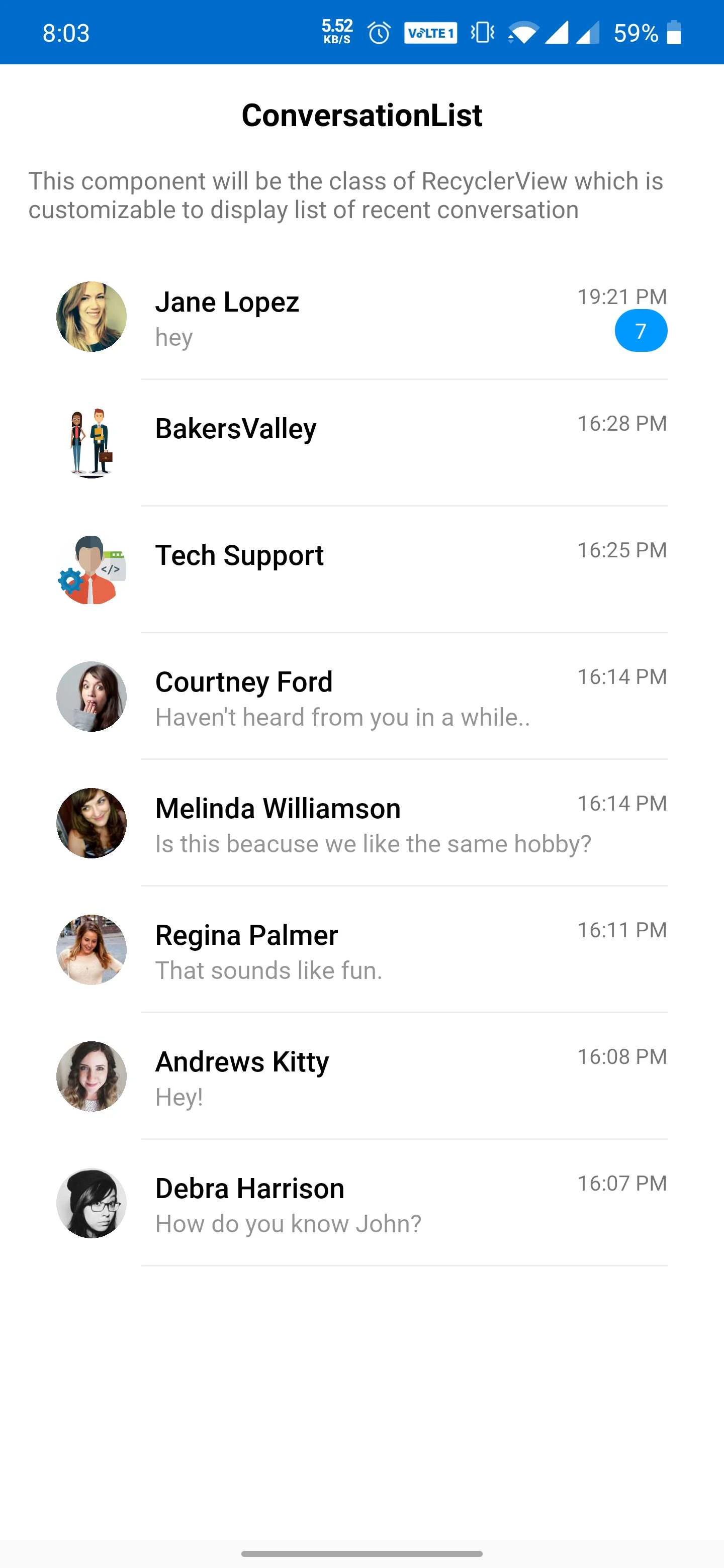
### **CometChatConversations**
`CometChatConversations` is a custom **RecyclerView** which will help you to display a list of all the users and groups in which the logged-in user has made any conversation.
 Note about CometChatConversations using with DataBinding
If you are using DataBinding in your project you can use the `CometChatConversations` in the following manner.
In your `layout.xml` add the following code.
```xml theme={null}
```
In your corresponding activity or fragment.
```kotlin theme={null}
val conversationList: ObservableArrayList = ObservableArrayList()
binding.setConversationList(conversationList)
```
For getting the list of conversation you can use `ConversationsRequestBuilder()` .visit the below link for more details on how to retrieve a list of conversation
In `onSuccess` of the `fetchNext` method you can set the data the `ObservableArrayList` you have created. The advantage of using the `ObservableArrayList` is one doesn't have to manually set the data on `binding.setConversationList(conversationList);` every time you get a new set of data.
```kotlin theme={null}
conversationsRequest.fetchNext(object : CallbackListener>() {
override fun onSuccess(conversations: List) {
// Handle list of conversations
conversationList.addAll(conversations)
// update ObservableArrayList list here
}
override fun onError(e: CometChatException) {
// Handle failure
Log.d(TAG, "onError: " + e.message)
}
})
```
Note About CometChatConversations Without DataBinding
If you are not using DataBinding in your project you can use the `CometChatConversations` in the following manner.
In your `layout.xml` add the following code
```xml theme={null}
```
In your corresponding activity or fragment
```kotlin theme={null}
val cometChatConversations: CometChatConversations = findViewById(R.id.cometchatConversations);
cometChatConversationList.setConversationList(conversations);
// list: fetched using the ConversationsRequestBuilder
```
In `onSuccess` of the `fetchNext` method of `ConversationsRequestBuilder`, you can set the data. You can refer how to [Retrieve Conversations](/sdk/android/2.0/retrieve-conversations)
Note About Using setItemClickListener
For getting the click event of `CometChatConversations` you can make use of the `ConversationItemClickListener` class.
```kotlin theme={null}
cometChatConversations.setItemClickListener(object : OnItemClickListener() {
override fun OnItemClick(t: Any, position: Int) {
}
override fun OnItemLongClick(t: Any, position: Int) {
super.OnItemLongClick(t, position)
}
})
```
#### **Common Usage**
The `CometChatConversations` component provides different properties to control the behavior of the `CometChatConversations` view. You can perform different operations like an update, remove, add, etc
| CometChatConversations field elements | Relevant attributes/methods |
| ------------------------------------- | ------------------------------------------- |
| Update List | `# setConversationList(List)` |
| Update | `# update (Conversation)` |
| Remove | `# remove(Conversation)` |
| Add | `# add(Conversation)` |
***
### **CometChatCalls**
`CometChatCalls` is custom **RecyclerView** which will help you to display list of calls.
Note about CometChatConversations using with DataBinding
If you are using DataBinding in your project you can use the `CometChatConversations` in the following manner.
In your `layout.xml` add the following code.
```xml theme={null}
```
In your corresponding activity or fragment.
```kotlin theme={null}
val conversationList: ObservableArrayList = ObservableArrayList()
binding.setConversationList(conversationList)
```
For getting the list of conversation you can use `ConversationsRequestBuilder()` .visit the below link for more details on how to retrieve a list of conversation
In `onSuccess` of the `fetchNext` method you can set the data the `ObservableArrayList` you have created. The advantage of using the `ObservableArrayList` is one doesn't have to manually set the data on `binding.setConversationList(conversationList);` every time you get a new set of data.
```kotlin theme={null}
conversationsRequest.fetchNext(object : CallbackListener>() {
override fun onSuccess(conversations: List) {
// Handle list of conversations
conversationList.addAll(conversations)
// update ObservableArrayList list here
}
override fun onError(e: CometChatException) {
// Handle failure
Log.d(TAG, "onError: " + e.message)
}
})
```
Note About CometChatConversations Without DataBinding
If you are not using DataBinding in your project you can use the `CometChatConversations` in the following manner.
In your `layout.xml` add the following code
```xml theme={null}
```
In your corresponding activity or fragment
```kotlin theme={null}
val cometChatConversations: CometChatConversations = findViewById(R.id.cometchatConversations);
cometChatConversationList.setConversationList(conversations);
// list: fetched using the ConversationsRequestBuilder
```
In `onSuccess` of the `fetchNext` method of `ConversationsRequestBuilder`, you can set the data. You can refer how to [Retrieve Conversations](/sdk/android/2.0/retrieve-conversations)
Note About Using setItemClickListener
For getting the click event of `CometChatConversations` you can make use of the `ConversationItemClickListener` class.
```kotlin theme={null}
cometChatConversations.setItemClickListener(object : OnItemClickListener() {
override fun OnItemClick(t: Any, position: Int) {
}
override fun OnItemLongClick(t: Any, position: Int) {
super.OnItemLongClick(t, position)
}
})
```
#### **Common Usage**
The `CometChatConversations` component provides different properties to control the behavior of the `CometChatConversations` view. You can perform different operations like an update, remove, add, etc
| CometChatConversations field elements | Relevant attributes/methods |
| ------------------------------------- | ------------------------------------------- |
| Update List | `# setConversationList(List)` |
| Update | `# update (Conversation)` |
| Remove | `# remove(Conversation)` |
| Add | `# add(Conversation)` |
***
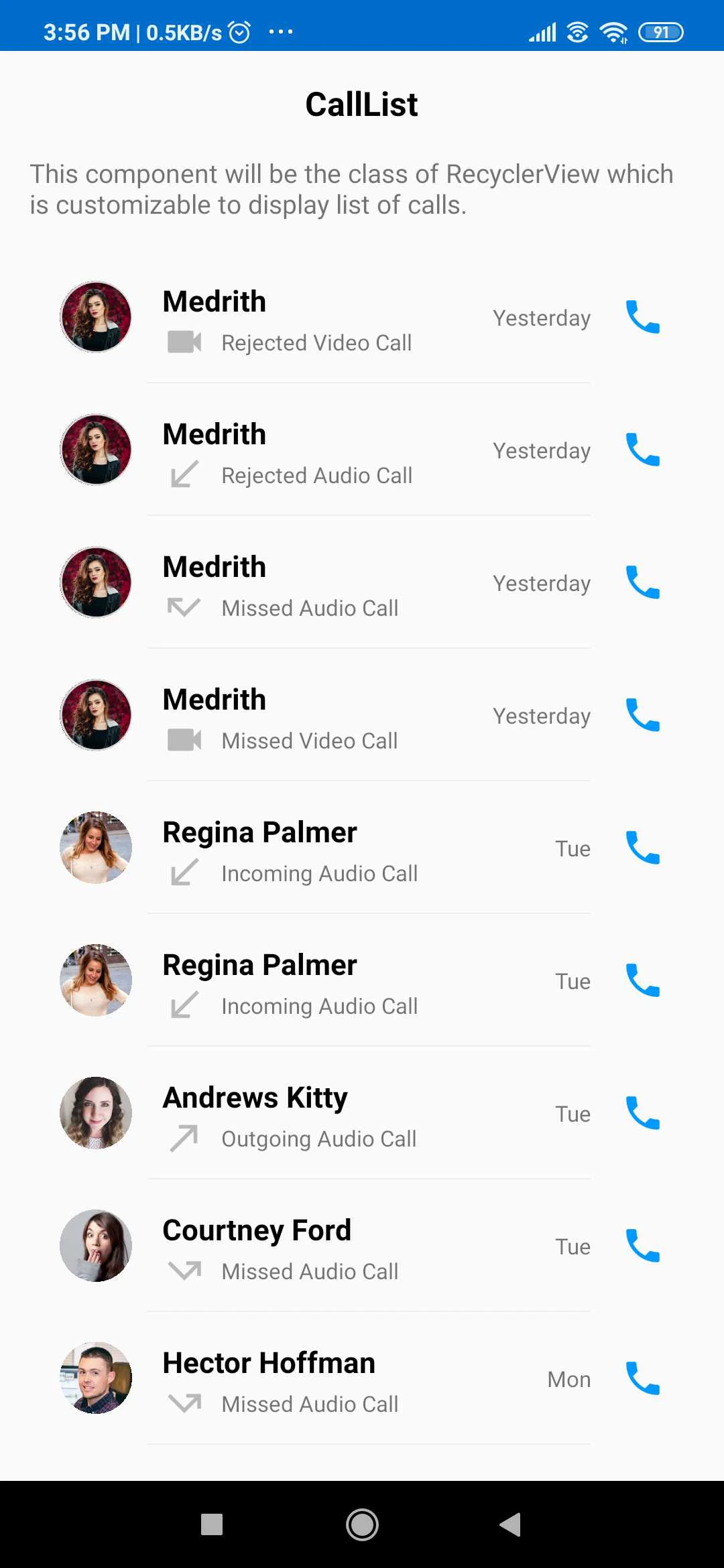
### **CometChatCalls**
`CometChatCalls` is custom **RecyclerView** which will help you to display list of calls.
 You can use the `CometChatCalls` in the following manner.
In your `layout.xml` add the following code :
```xml theme={null}
```
In your corresponding activity or fragment
```kotlin theme={null}
val cometChatCalls: CometChatCalls = findViewById(R.id.cometchatCalls);
```
In `onSuccess` of the `fetchNext` method of `MessagesRequestBuilder` you can set the data. You need to add `setCategory(CometChatConstants.CATEGORY_CALL)` in your `MessagesRequestBuilder` to fetch only call messages
You can refer an **example here.**
```kotlin theme={null}
if (messagesRequest == null)
{
messagesRequest = MessagesRequestBuilder().setCategory(CometChatConstants.CATEGORY_CALL).setLimit(30).build()
}
messagesRequest.fetchPrevious(object : CallbackListener>() {
override fun onSuccess(baseMessages: List) {
/*Since the call list received like messages i.e top with older and
bottom with the latest message. We will reverse the list */
Collections.reverse(baseMessages)
cometCallList.setCallList(baseMessages)
}
override fun onError(e: CometChatException) {
//Error Message
Log.e("onError: ", e.message)
}
})
```
Note About Using CallItemClickListener:
For getting the click event of `CometChatCalls` you can make use of `ItemClickListener` class.
There are two events given by `CometChatCalls`.
This event is performed when clicking on the User or Group item displayed in the call list.
```kotlin theme={null}
cometChatCalls.setItemClickListener(object : OnItemClickListener() {
override fun OnItemClick(t: Any, position: Int) {
// perform your action here
}
})
```
This event is performed when click on call icon visible after each Group or User item in call list.
```kotlin theme={null}
cometChatCalls.setItemCallClickListener(object : OnItemClickListener() {
override fun OnItemClick(t: Any, position: Int) {
// perform your action here
}
})
```
#### **Common Usage:**
The `CometChatCalls` component provides different properties to control the behavior of the `CometChatCalls` view. You can perform different operations like an update, remove.
| CometChatCalls field e | Relevant attributes/methods |
| ---------------------- | --------------------------- |
| Update List | setCallList(List) |
| Update | update (Call) |
| Remove | remove(Call) |
You can use the `CometChatCalls` in the following manner.
In your `layout.xml` add the following code :
```xml theme={null}
```
In your corresponding activity or fragment
```kotlin theme={null}
val cometChatCalls: CometChatCalls = findViewById(R.id.cometchatCalls);
```
In `onSuccess` of the `fetchNext` method of `MessagesRequestBuilder` you can set the data. You need to add `setCategory(CometChatConstants.CATEGORY_CALL)` in your `MessagesRequestBuilder` to fetch only call messages
You can refer an **example here.**
```kotlin theme={null}
if (messagesRequest == null)
{
messagesRequest = MessagesRequestBuilder().setCategory(CometChatConstants.CATEGORY_CALL).setLimit(30).build()
}
messagesRequest.fetchPrevious(object : CallbackListener>() {
override fun onSuccess(baseMessages: List) {
/*Since the call list received like messages i.e top with older and
bottom with the latest message. We will reverse the list */
Collections.reverse(baseMessages)
cometCallList.setCallList(baseMessages)
}
override fun onError(e: CometChatException) {
//Error Message
Log.e("onError: ", e.message)
}
})
```
Note About Using CallItemClickListener:
For getting the click event of `CometChatCalls` you can make use of `ItemClickListener` class.
There are two events given by `CometChatCalls`.
This event is performed when clicking on the User or Group item displayed in the call list.
```kotlin theme={null}
cometChatCalls.setItemClickListener(object : OnItemClickListener() {
override fun OnItemClick(t: Any, position: Int) {
// perform your action here
}
})
```
This event is performed when click on call icon visible after each Group or User item in call list.
```kotlin theme={null}
cometChatCalls.setItemCallClickListener(object : OnItemClickListener() {
override fun OnItemClick(t: Any, position: Int) {
// perform your action here
}
})
```
#### **Common Usage:**
The `CometChatCalls` component provides different properties to control the behavior of the `CometChatCalls` view. You can perform different operations like an update, remove.
| CometChatCalls field e | Relevant attributes/methods |
| ---------------------- | --------------------------- |
| Update List | setCallList(List) |
| Update | update (Call) |
| Remove | remove(Call) |