> ## Documentation Index
> Fetch the complete documentation index at: https://cometchat-013b37f0.mintlify.site/llms.txt
> Use this file to discover all available pages before exploring further.
# Color Resources
## Introducing CometChatColorPalette:
### Your Theme Customization Toolbox!
Ever wanted to personalize your app's entire look and feel with just a few lines of code? Introducing the `CometChatColorPalette` class! This powerful tool, designed for the V5 CometChat Flutter UI Kit, allows you to effortlessly change the colors used throughout your app.
Think of it like a giant paintbrush for your app's theme. You can set the primary color, neutral tones, and even specific colors for alerts, backgrounds, text, borders, and icons.
Here's a breakdown of what you can customize:
* **Primary Colors:** Define the main color scheme of your app.
* **Neutral Colors:** Create a balanced base for your app's visuals.
* **Alert Colors:** Set unique colors for informative, warning, success, and error messages.
* **Background Colors:** Choose the background shades for different areas of your app.
* **Text Colors:** Control the color of text elements for optimal readability and aesthetics.
* **Border Colors:** Set the color of borders for elements like buttons and cards.
* **Icon Colors:** Customize the colors of app icons for a cohesive look.
* **Button Colors:** Choose the background and text color of buttons for clear action prompts.
* **Shimmer Colors:** Define the colors used in loading animations for user feedback.
By simply creating a `CometChatColorPalette` object and assigning it to the `extensions` property of your `ThemeData`, you can instantly transform your app's appearance.
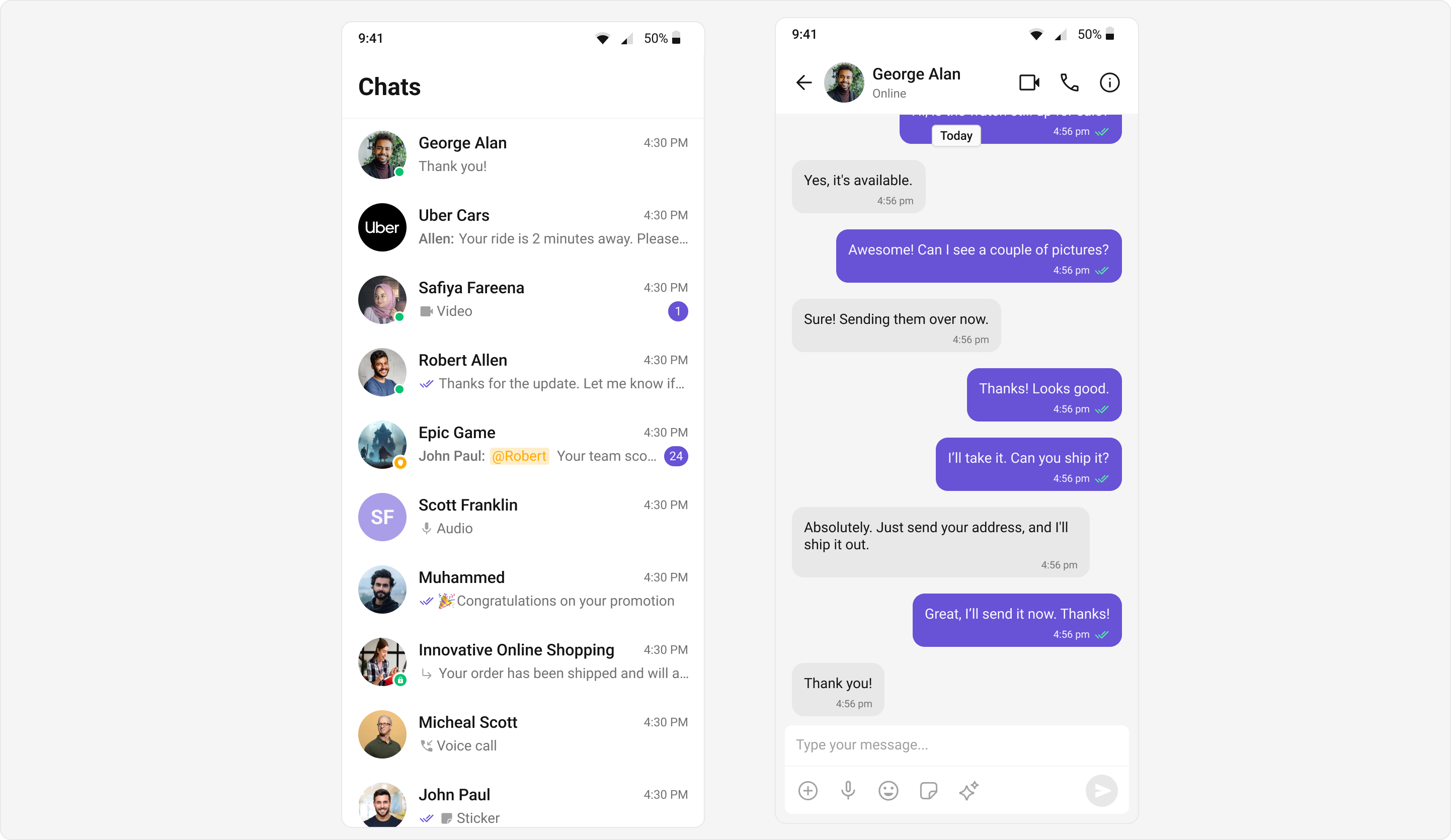
### Light mode
Achieve a vibrant and clean aesthetic with colors optimized for light backgrounds. The CometChatColorPalette offers shades and tints designed to ensure readability and contrast in bright environments.
 ```dart theme={null}
ThemeData(
extensions: [
CometChatColorPalette(
textSecondary: Color(0xFF727272),
background1: Color(0xFFFFFFFF),
textPrimary: Color(0xFF141414),
borderLight: Color(0xFFF5F5F5),
borderDark: Color(0xFFDCDCDC),
iconSecondary: Color(0xFFA1A1A1),
success: Color(0xFF09C26F),
iconHighlight: Color(0xFF6852D6),
extendedPrimary500: Color(0xFFAA9EE8),
warning: Color(0xFFFAAB00),
messageSeen: Color(0xFF56E8A7),
neutral900: Color(0xFF141414),
neutral600: Color(0xFF727272),
neutral300: Color(0xFFE8E8E8),
primary: Color(0xFF6852D6)
)
]
)
```
### Dark mode
Provide a modern and eye-friendly experience with a palette tailored for darker themes, enhancing visual comfort and reducing glare during nighttime use.
```dart theme={null}
ThemeData(
extensions: [
CometChatColorPalette(
textSecondary: Color(0xFF727272),
background1: Color(0xFFFFFFFF),
textPrimary: Color(0xFF141414),
borderLight: Color(0xFFF5F5F5),
borderDark: Color(0xFFDCDCDC),
iconSecondary: Color(0xFFA1A1A1),
success: Color(0xFF09C26F),
iconHighlight: Color(0xFF6852D6),
extendedPrimary500: Color(0xFFAA9EE8),
warning: Color(0xFFFAAB00),
messageSeen: Color(0xFF56E8A7),
neutral900: Color(0xFF141414),
neutral600: Color(0xFF727272),
neutral300: Color(0xFFE8E8E8),
primary: Color(0xFF6852D6)
)
]
)
```
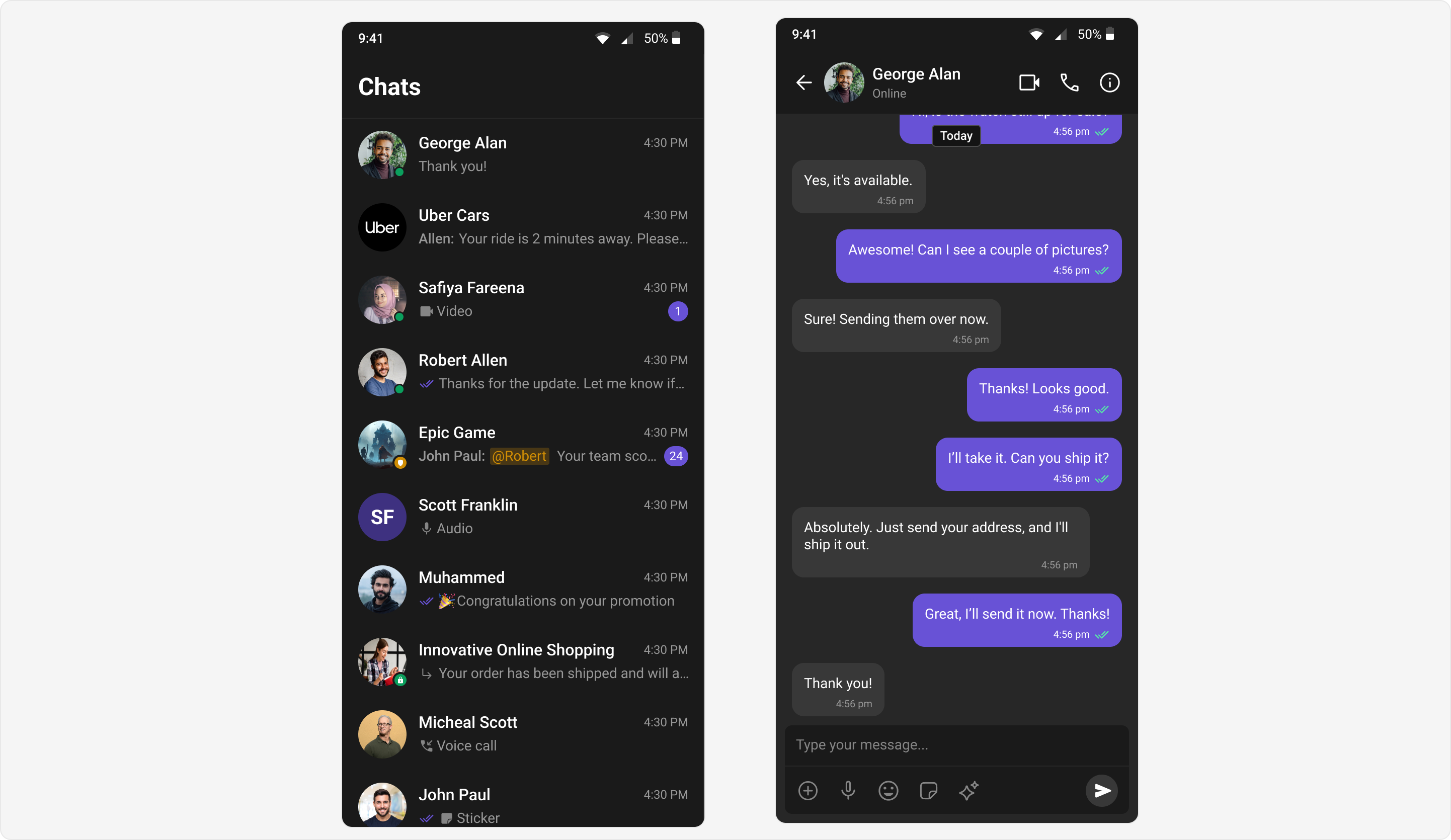
### Dark mode
Provide a modern and eye-friendly experience with a palette tailored for darker themes, enhancing visual comfort and reducing glare during nighttime use.
 ```dart theme={null}
ThemeData(
extensions: [
CometChatColorPalette(
textSecondary: Color(0xFF989898),
background1: Color(0xFF1A1A1A),
textPrimary: Color(0xFFFFFFFF),
borderLight: Color(0xFF272727),
iconSecondary: Color(0xFF858585),
success: Color(0xFF0B9F5D),
iconHighlight: Color(0xFF6852D6),
extendedPrimary500: Color(0xFF3E3180),
warning: Color(0xFFD08D04),
messageSeen: Color(0xFF56E8A7),
neutral900: Color(0xFFFFFFFF),
neutral600: Color(0xFF989898),
neutral300: Color(0xFF383838),
primary: Color(0xFF6852D6)
)
]
)
```
### Custom Colors
Personalize your application's appearance by defining unique color schemes using CometChatColorPalette, aligning the chat interface with specific branding or creative preferences.
```dart theme={null}
ThemeData(
extensions: [
CometChatColorPalette(
textSecondary: Color(0xFF989898),
background1: Color(0xFF1A1A1A),
textPrimary: Color(0xFFFFFFFF),
borderLight: Color(0xFF272727),
iconSecondary: Color(0xFF858585),
success: Color(0xFF0B9F5D),
iconHighlight: Color(0xFF6852D6),
extendedPrimary500: Color(0xFF3E3180),
warning: Color(0xFFD08D04),
messageSeen: Color(0xFF56E8A7),
neutral900: Color(0xFFFFFFFF),
neutral600: Color(0xFF989898),
neutral300: Color(0xFF383838),
primary: Color(0xFF6852D6)
)
]
)
```
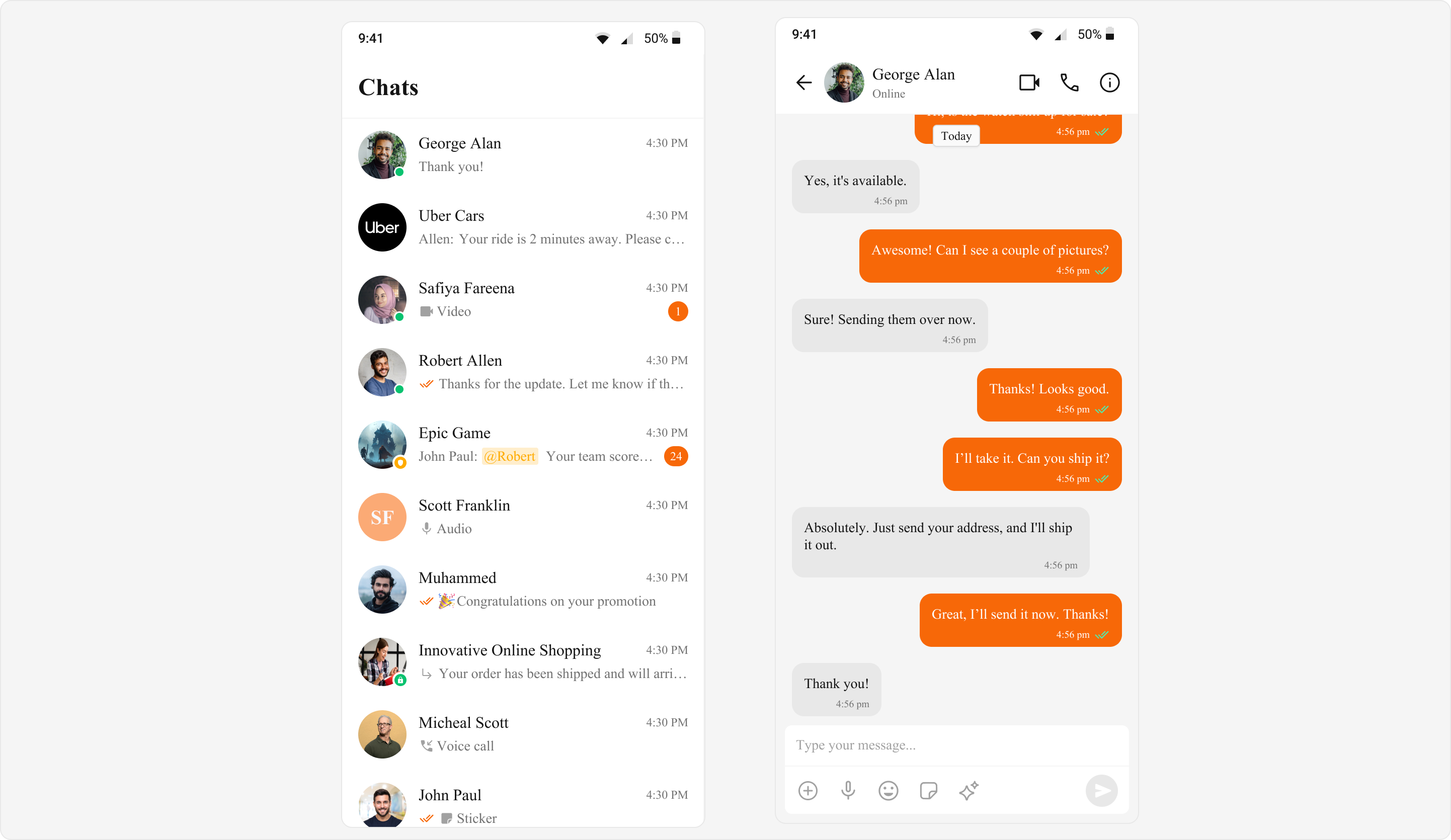
### Custom Colors
Personalize your application's appearance by defining unique color schemes using CometChatColorPalette, aligning the chat interface with specific branding or creative preferences.
 ```dart theme={null}
ThemeData(
extensions: [
CometChatColorPalette(
textSecondary: Color(0xFF727272),
background1: Color(0xFFFFFFFF),
textPrimary: Color(0xFF141414),
borderLight: Color(0xFFF5F5F5),
borderDark: Color(0xFFDCDCDC),
iconSecondary: Color(0xFFA1A1A1),
success: Color(0xFF09C26F),
iconHighlight: Color(0xFFF76808),
extendedPrimary500: Color(0xFFFBAA75),
warning: Color(0xFFFAAB00),
messageSeen: Color(0xFF56E8A7),
neutral900: Color(0xFF141414),
neutral600: Color(0xFF727272),
neutral300: Color(0xFFE8E8E8),
primary: Color(0xFFF76808)
)
]
)
```
Ready to unleash your inner designer? Explore the `CometChatColorPalette` and create a stunning and personalized user experience!
```dart theme={null}
ThemeData(
extensions: [
CometChatColorPalette(
textSecondary: Color(0xFF727272),
background1: Color(0xFFFFFFFF),
textPrimary: Color(0xFF141414),
borderLight: Color(0xFFF5F5F5),
borderDark: Color(0xFFDCDCDC),
iconSecondary: Color(0xFFA1A1A1),
success: Color(0xFF09C26F),
iconHighlight: Color(0xFFF76808),
extendedPrimary500: Color(0xFFFBAA75),
warning: Color(0xFFFAAB00),
messageSeen: Color(0xFF56E8A7),
neutral900: Color(0xFF141414),
neutral600: Color(0xFF727272),
neutral300: Color(0xFFE8E8E8),
primary: Color(0xFFF76808)
)
]
)
```
Ready to unleash your inner designer? Explore the `CometChatColorPalette` and create a stunning and personalized user experience!